Getting Started
Everything you need to know about joining the XP system, claiming your web account, and managing your password.
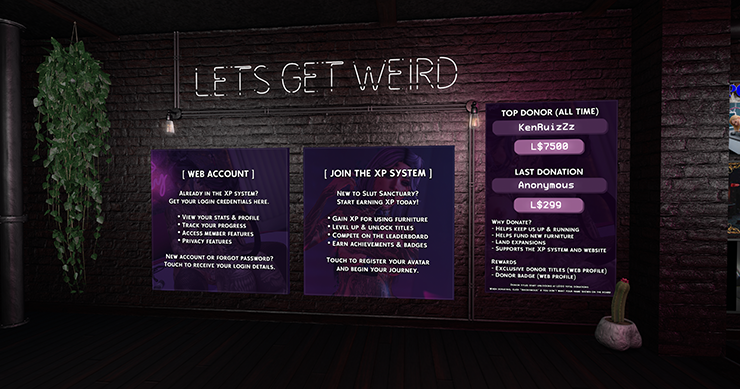
Everything starts in Second Life
Joining the XP system and registering your web account are handled entirely through in-world scripts at the Slut Sanctuary location. There is no web sign-up form — you must be in-world to get started.
New Users — Joining the XP System
If you've never used the Slut Sanctuary XP system before, this is where you start. You'll register directly in Second Life — no website needed for this step.
Come to Slut Sanctuary
Travel to our in-world location. You can use the SLurl below to teleport directly.
Teleport to Slut SanctuaryFind the Registration Kiosk
Look for the XP registration kiosk near the landing area. It's clearly labeled and hard to miss.
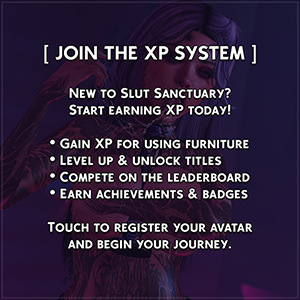
Touch "Join XP System"
Click or touch the kiosk and select Join XP System. An in-world script will register your avatar automatically — your name and UUID are captured and you'll receive a confirmation message in local chat.
Start Earning XP
That's it for joining! You'll now earn XP from furniture, zones, daily quests, and more. You can see your stats on the leaderboard right away. When you're ready, continue below to claim your web account.
Existing XP Members — Claiming a Web Account
If you're already in the XP system and want to log into the website — to see your full dashboard, manage privacy settings, view detailed stats — you need to claim a web account. This is also done in-world, not through a web form.
You must have already joined the XP system before you can claim a web account. This kiosk is mostly intended for users who have previously joined by sitting on furniture or clicked the welcome kiosk button to get started.
Return to the Kiosk
Head back to the registration kiosk at the location linked above.
Touch "Register Account"
Click the kiosk and select Register The in-world script will verify your avatar is in the XP system, create your web account, and generate a password for you.
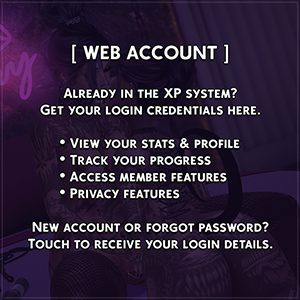
Check Your Local Chat
Your username (your avatar name) and a generated password will be sent to you in local chat or as an IM. Copy these down — you'll need them to log in.
Username: Your Name
Password: aBcDeFgH1234
Login at: slutsanctuary.cc/player_auth/login.php
Log In
Head to the login page and sign in with your avatar name and the password from chat. We recommend changing your password to something memorable right after your first login.
Changing Your Password
Once you're logged in, you can change your password to something you'll actually remember. Your generated password is random and not easy to memorize, so we recommend doing this early.
Log In and Open Settings
After logging in, go to your Settings page. You can find the link in your dashboard.
Go to Settings →Scroll to "Change Password"
On the Settings page, scroll down to the Change Password section. Enter your current password (from the kiosk message), then your new password twice. New passwords must be at least 8 characters.
Save and You're Done
Click Update Password. Your new password takes effect immediately and will be used the next time you log in.
Forgot Your Password?
Password resets are handled in-world, the same way you registered. There is no email-based reset — everything goes through the in-world kiosk script.
Return to the Kiosk In-World
Teleport back to the registration kiosk at Slut Sanctuary.
Teleport to the KioskSelect "Reset Password"
Touch the kiosk and choose Reset Password. The in-world script will generate a new random password and send it to you in local chat or IM. This overwrites your old password immediately.
Log In With the New Password
Use the new password from the kiosk message to log in, then head straight to Settings to change it to something you'll remember.
Go to Login Page →Still Need Help?
If you ran into a problem or the kiosk didn't work as expected, reach out to a member of staff in-world. You can find us at the main Slut Sanctuary location.
Find Us In-World